
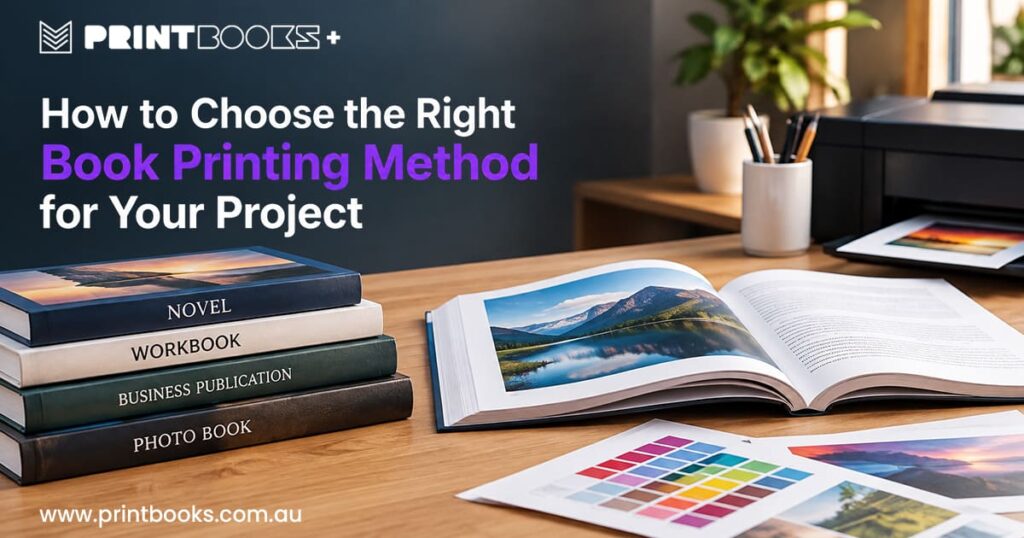
The printing method you choose can genuinely change how your finished book turns out, especially when budget, quantity or a deadline are already fixed points.
Novel, workbook, business publication, photo book — there’s no one method that fits everything. It comes down to what you’re producing, how many copies you actually need, and what you want the finished book to feel like in someone’s hands.
Getting your head around the options before you order saves a lot of back-and-forth and usually gets you better value out of the project.
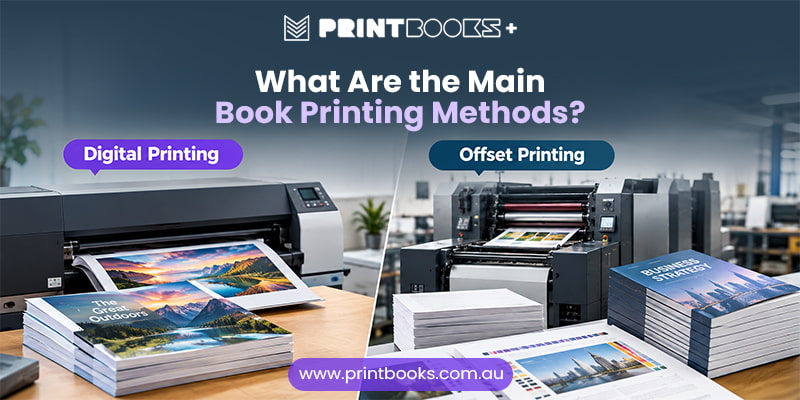
What Are the Main Book Printing Methods?
Book production mostly comes down to two methods: digital and offset.
Digital printing works straight from your artwork file and suits projects where flexibility and shorter runs matter — handy if you only need a smaller batch, or want to print based on actual demand rather than guessing.
Offset printing uses plates to transfer artwork onto paper. There’s more setup involved, but that cost spreads out nicely across larger quantities.
Neither one is objectively “better” — it’s about which one fits what you’re actually printing.
Start With Your Print Quantity
How many books you need is usually the first real decision.
Smaller quantities generally point toward digital — good for self-published authors, a limited business publication, or books for a one-off event.
Bigger runs start to favour offset, since the setup cost gets divided across more copies.
Base this on realistic demand rather than chasing the lowest unit price. If you’re not sure how many you’ll need, a smaller first run is usually the safer bet.
Consider Your Budget
Budget will shape your options, but it shouldn’t be the only thing driving the decision.
Cost depends on quantity, page count, paper, size, colour, cover and binding — which is why two books with identical page counts can cost noticeably different amounts to produce.
Give your printer as much detail as possible when requesting a quote. It makes quotes easier to compare and clearer to understand what you’re actually paying for.
The cheapest quote isn’t much good if it means cutting a corner that mattered.
Think About the Type of Book You’re Printing
What you’re printing should drive a lot of the printing decisions.
A novel is mostly text, so comfortable paper and readability matter more than colour accuracy. A children’s book or photo book leans heavily on imagery instead.
Business publications, training manuals, catalogues and annual reports mix text, photos, charts and branding — a different set of requirements again.
Think about how the reader will actually use the book, and what you want them to notice the moment they pick it up.
Decide How Important Colour Is
Colour affects both how the book looks and what’s needed to produce it.
A text-heavy book might only need black-and-white interior printing. One full of photos or illustrations probably needs full colour throughout.
If colour accuracy matters, your paper choice matters just as much — different surfaces render photos and graphics differently.
For image-heavy books, get a physical proof before committing to the full run. Screen and print rarely match perfectly.
Look at Your Page Count
Page count shapes more of the project than people expect.
A slim booklet, a 100-page workbook and a 300-page novel all have different production needs — thickness, paper usage, and which binding options are even practical.
Page count and finished size are linked too. Change the dimensions and you change how much content fits per page, which changes the total page count.
If your manuscript’s already finished, lock in the format before finalising the artwork.
Choose the Right Paper for Your Content
Paper isn’t just about how heavy the book feels — it affects readability, appearance and how images print.
Uncoated paper suits novels, workbooks and text-heavy books; it’s easier on the eyes for long reads.
Coated paper has a smoother finish and works better for photography, illustrations and detailed graphics.
Weight matters too. Lighter stock keeps a longer book manageable; heavier stock gives a shorter one more presence.
The right paper depends on the content, not on picking the heaviest option available.
Think About the Finished Format
Settle on size and format early.
A compact novel, an A4 training manual and a large-format coffee table book are three completely different reading experiences — and format feeds back into paper, page count, binding and overall cost.
Think about how the book gets used. Something people carry around benefits from a manageable size; a photography or art book benefits from more room to breathe.
Consider Your Deadline
Your deadline shapes what’s realistic.
Artwork prep, file checking, proofing, printing, binding and delivery all take time. If the books are needed for a launch, conference or event, leaving it too late makes everything harder than it needs to be.
Tell your printer about a fixed deadline upfront — it lets them tell you honestly what’s achievable and on what schedule.
Think About Whether You May Need More Copies Later
Worth looking beyond the first print run too.
If it’s your first time publishing, demand can be genuinely hard to predict. Starting with a manageable quantity and reviewing sales before reprinting is often the more sensible path.
Established publications reprinting regularly might approach this differently.
Planning ahead here avoids paying to store books you don’t need while still leaving a clear path to print more when you do.
Don’t Forget About Proofing
Easy to skip, expensive to regret skipping.
A proof shows you the actual printed result before the full run goes ahead — check text, page order, images, margins, colours, cover art, and details like contact info or a website address.
For anything photo- or graphics-heavy, a physical proof is worth the extra step, since printed colour can look noticeably different from what’s on your screen.
Catching issues at proof stage means fixing them before the full order is already printed.
Digital or Offset Printing: Which Is Right for Your Book?
Both have a place in professional book production.
Digital suits shorter runs and projects where flexibility matters. Offset gets more economical as quantity climbs, since the setup cost spreads across more copies.
The right call comes from the whole picture — quantity, book type, colour, paper, format, budget and deadline together, not the printing method in isolation.
If you’re not sure which fits your project, a printer with the right experience can talk you through the specifics.
Frequently Asked Questions About Book Printing Methods
What's the best printing method for a small book run?
Digital printing usually makes sense here — it’s flexible and skips the setup that offset requires.
Is digital printing suitable for high-quality books?
Yes. Modern digital printing handles text, graphics and colour well, and it’s used for plenty of professional book projects.
When is offset printing more suitable?
For larger print runs, where producing a high volume of identical books makes the setup cost worthwhile per copy.
Choosing the Right Book Printing Method
Choosing a right book printing method is about more than comparing prices. Quantity, book type, paper, colour, format, binding and deadline all play a part in the result you end up with.
At PrintBooks, we make the process straightforward whether you need one copy or several thousand. With experience across novels, workbooks, magazines, business publications, photo books and more, we can help you land on the right specifications for your project.
Ready to turn your manuscript or artwork into a printed book? Get in touch with PrintBooks — tell us what you’re producing, how many copies you need and when you need them, and we’ll help you find the right fit.