
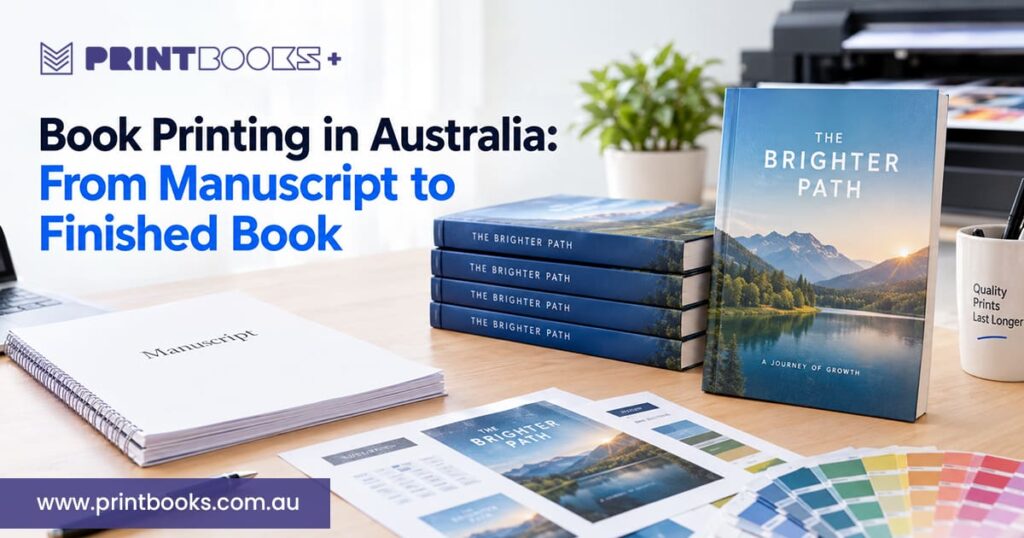
Getting a manuscript turned into a properly printed book takes more than emailing a document to a printer. You need to get the content ready, pick a format, choose paper and binding, check the artwork and sign off the final specs. Independent author, business making training material or an organisation putting out a publication, knowing how book printing works in Australia saves you from the usual mistakes and gets you a better book at the end.
With a bit of planning, a finished manuscript becomes printed copies that look professional, suit your readers, and stay within budget. Here’s how it works, from prepping your files to holding the finished books.
Step 1: Prepare and Finalise Your Manuscript
Before you think about printing, make sure the manuscript is actually finished.
Go back through it for spelling, grammar, punctuation, and consistency. Writing a novel? Check how the chapters and dialogue flow. A business book, report, or workbook needs accurate headings, tables and supporting info.
Once the words are locked in, look at the layout. Page breaks, chapter openings, paragraph spacing, headers, footers, and page numbers all affect how easy the book is to read.
Finish the text before you finish the cover. Any change to the manuscript can shift the page count, and that changes the spine width.
If you need help with layout or artwork, talk to your printer before you prepare the final files. Sorting out the specs early saves time once production starts.
Step 2: Choose the Right Book Size and Format
Size and format affect how the book looks, how people use it, what’s needed to print it, and what it costs.
A paperback novel usually works best in a compact size that’s comfortable to hold. A cookbook or photography book needs more room for images. A training manual might need bigger pages for diagrams, tables, and exercises.
Think about how readers will use it. Will they carry it around, keep it on a desk, or show it off as a portfolio or reference book?
Paperback or hardcover is part of this decision. Paperback suits novels, educational material and plenty of business publications. Hardcover gives a more substantial feel for commemorative books, premium editions and some photo books.
Pick your format early. It makes the page layout, paper, and cover artwork much easier to plan.
Step 3: Select the Right Paper and Printing Specifications
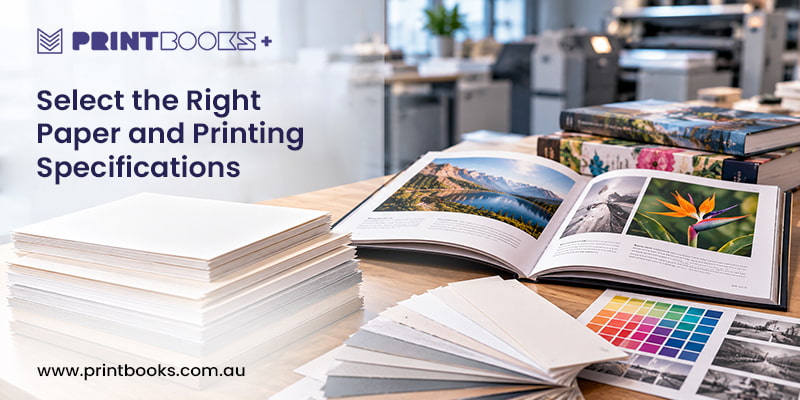
Paper changes how a book looks, feels, and holds up. The best choice depends on the content and the reading experience you’re after.
For text-heavy books like novels, a lighter uncoated paper keeps the book manageable. If you’ve got photography, illustrations, or detailed graphics, coated paper gives a smoother surface for images.
Weight affects thickness and feel too. A heavier stock can suit a short, image-heavy book, while a longer one usually needs lighter paper so it doesn’t turn into a brick.
Then there’s color. Black and white is fine for text-focused books. Cookbooks, art books, product catalogues, and illustrated content mostly need full color.
Not sure what suits your project? Have a look at PrintBooks’ guide to choosing the right paper weight for book printing.
Step 4: Choose a Suitable Binding Method
Binding decides how the pages are held together and how the finished book opens and feels in the hand.
Perfect binding is the usual choice for paperbacks, novels and business publications. It gives you a proper spine, and if the specs allow, space for a title on it.
Saddle stitching uses staples along the fold, which suits thinner booklets, programmes and short publications. Wire or spiral binding is more practical for workbooks, manuals and training material that needs to lie flat.
Hardcover is there for books that need a sturdier cover and a more premium look.
Page count, how the book will be used and your budget all point you toward the right one. For a closer look at the options, read PrintBooks’ guide to book printing and binding.
Step 5: Prepare Your Artwork for Printing
Once the content and specs are settled, get the interior pages and cover artwork ready to your printer’s requirements.
A PDF that looks fine on screen can still have problems that show up in print. Low-resolution images, wrong colours, not enough bleed, or text sitting too close to the trim edge can all cause trouble in production.
PrintBooks’ artwork setup guide asks for print-ready PDFs, CMYK colour mode, images at 300 dpi at their final size, 3 mm bleed on all edges and a 15 mm safety margin.
The cover depends on the binding too. Perfect-bound books need a cover layout that includes the spine, so you need the right spine width from your final specs. Page-count requirements can also differ between binding styles.
Check the current artwork guidelines before you export. If you’re unsure about the setup, ask your printer rather than guessing.
Step 6: Review the Proof Before Printing
A proof is your chance to catch mistakes before the whole order gets printed.
Go through the interior pages and the cover properly. Check spelling, page order, chapter headings, images, margins, page numbers and any contact details or web addresses.
If the book has photos, illustrations or branded graphics, look hard at colour and image quality. What you see on screen won’t always match what lands on paper.
A printed proof lets you judge the actual paper, colour, layout and overall look before you go ahead with a bigger run. That matters a lot when the visual quality of the book is important.
Take your time before you approve it. Fixing something now is far easier than finding it after the full print run is done.
Step 7: Confirm Your Quantity, Budget and Deadline
Before production starts, lock in how many copies you need and when you need them.
Quantity affects both the best printing method and the cost per copy. A small run suits a first-time author, a limited release or a test edition. A bigger one makes sense when you’ve got proven demand, or you need books for an event, retail distribution or business use.
When you compare quotes, look at the full specification and not just the unit price. Page count, paper, size, colour, binding and finishing all change the total.
Leave time for artwork checks, proofing, production, binding and delivery. If the books are needed for a launch, a conference or a set distribution date, tell your printer before you confirm the order.
Step 8: Receive Your Finished Books
Once the artwork’s approved and production wraps up, your books go through final finishing and quality checks before dispatch or collection.
When they arrive, look through a few copies and make sure they match the approved specs. Check the cover, binding, page order, print quality and general condition.
If you’re planning to sell or distribute them, work out how they’ll be packed, stored and moved. Having a plan for the finished copies makes the jump from production to distribution a lot smoother.
For repeat publications, hang on to the approved artwork and write down the final specs. It makes reprints much easier to organise, especially when you want editions to match.
Bring Your Manuscript to Life with PrintBooks
Good book printing comes down to preparation and making the right production calls. Finish the manuscript, pick the right format, get print-ready artwork sorted and check a proof, and the whole process feels a lot less daunting.
At PrintBooks, we print books for authors, businesses, organisations and individuals across Australia. One copy or a big run, our team can help you work through your specs, artwork requirements and printing options.
Ready to turn your manuscript into a finished book? Visit PrintBooks to see your options, or get in touch with the team. Tell us what you’re making, how many copies you need and when you need them, and we’ll help you find the right fit.